


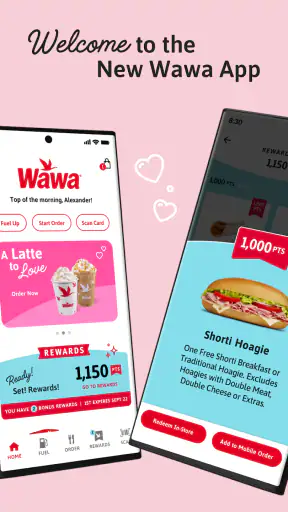
I use the Wawa app as a practical companion for ordering food and drinks before I arrive, and my overall impression is that it succeeds best when I already know what I want. It is a free Food & Drink app from Wawa, Inc., aimed at making a regular store visit quicker by bringing ordering, payment, and rewards into one place. That sounds simple, but the difference between a useful food-ordering app and an annoying one is usually found in small details: how quickly I can repeat a familiar order, whether customization stays understandable, and how confidently I can tell when my food will be ready.
Wawa has built a sizeable audience around this idea. The app has passed 5 million installs, carries an average rating of 3.4, and is rated for Everyone. Those figures suggest a service that is widely used but not universally smooth for every customer. After spending time with it, I can understand both sides. It is convenient for planned purchases, especially when I am stopping at Wawa on a busy morning, but it is less compelling if I only want to browse casually or if I am already standing at the counter with no queue.
How the current Wawa experience feels in everyday use
The main strength is focus. This is not a general restaurant marketplace where I compare dozens of businesses, delivery fees, and menus. It is built around the Wawa visit itself. I choose a location, look through the available food and drink choices, adjust the order, and arrange payment through the app. That narrower purpose makes the experience easier to understand than a broad delivery platform when my destination is already decided.
I find the app most useful during predictable routines. A weekday breakfast is a good example: I can place an order before leaving home, avoid spending extra time deciding at the store, and use the same account for rewards. The value is not just saving a few taps at the counter. It is reducing the number of decisions I have to make when I am in a hurry. For someone who visits Wawa regularly, that repeatability matters more than a flashy interface.
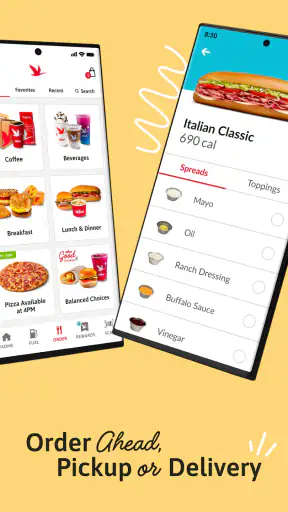
The app also suits people who like to customize food rather than accept a fixed menu item. Wawa orders can involve several choices, and entering those choices before arriving gives me more time to check what I am selecting. I am less likely to rush through a screen at the store or forget an ingredient change while speaking to someone. The trade-off is that customization can make the order screen feel busier, particularly when I am trying to recreate something I have not ordered before.
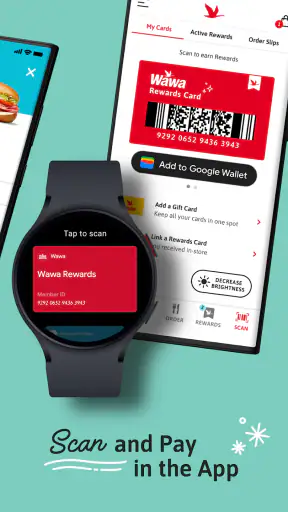
Payment is another reason to use it. Keeping ordering and checkout together removes the need to explain the whole order again at the register. It also makes the app more useful for regular visits than a simple menu viewer would be. The reward element adds a second reason to keep using the same account, although I would not choose the app solely for rewards if I rarely visit Wawa.
A realistic morning with the app
Imagine leaving for work with fifteen minutes to spare. I open the app, select the Wawa I am heading toward, choose breakfast and a drink, review the modifications, and submit the order while I am still on the way. When I arrive, the useful part is that the ordering conversation has already happened digitally. I can concentrate on collecting the food rather than building the order from scratch.
That scenario works best when I have selected the correct location and allowed enough time for preparation. A mobile order is not a magic shortcut if I choose the wrong store or arrive much earlier than expected. My practical habit is to check the location name before paying and review the order one more time after customization. That second look is especially worthwhile for an order with substitutions or removals, where a quick glance can catch a mistake before I leave.
The same workflow is useful for a group, but only up to a point. One person can place several items together more neatly than passing a phone around at the counter. However, group orders become harder when everyone keeps changing their choices. In that situation, ordering in person may be faster than repeatedly editing a large mobile order. The app is at its best when one person owns the decision and the order is reasonably settled.
What the ordering flow does well
I appreciate that the app keeps the focus on the actual Wawa menu rather than distracting me with unrelated promotions or outside restaurants. The path from choosing a store to preparing an order feels natural for a customer who already knows the brand. It is also a better fit than a delivery marketplace when I plan to pick up the order myself, because I am not using a service designed around a different restaurant or delivery model.
Another practical benefit is the ability to inspect an order before committing. In a busy store, I may make a quick verbal choice and only realize later that I wanted a different drink or ingredient. The app gives me a written summary to review. That does not eliminate mistakes, but it changes the process from memory-based ordering to something I can check deliberately.
My most useful tip is to treat the review screen as part of the order, not as a formality. I check the store, item, options, quantity, and pickup timing before submitting. This takes only a moment and is more valuable than rushing through the earlier screens. If I am ordering for someone else, I also read the final summary aloud or send them a screenshot before paying, because mobile convenience does not protect against choosing the wrong variation.
Rewards and payment in the same routine
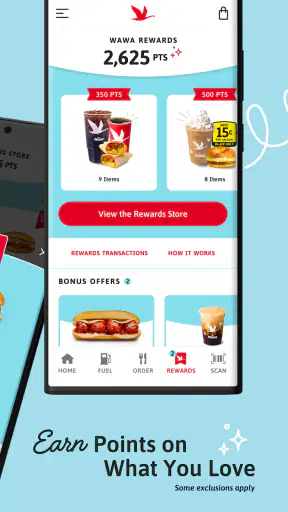
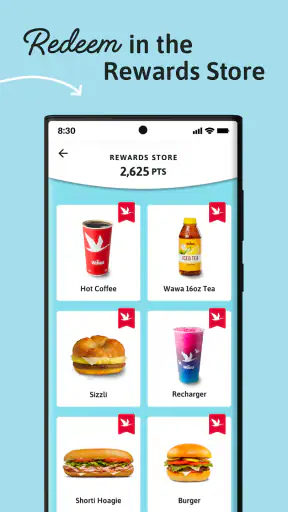
The rewards feature makes the app more attractive to frequent Wawa customers. Instead of treating each purchase as an isolated transaction, I can use one account for ordering and earning. That is a sensible design choice because it gives me a reason to return to the app even when I already know the menu. The benefit is strongest for people whose regular visits are already part of their routine; occasional customers may not notice much value from maintaining another food account.
I also like the psychological simplicity of having payment attached to the order rather than switching between separate steps. Still, I would not assume that every visit should be handled through mobile ordering. If I am already inside, the store is quiet, and I need to ask a question about an item, speaking with staff can be more efficient. The app is a tool for speed and consistency, not a replacement for every kind of customer interaction.
For people concerned about handing over a phone at checkout, the app can feel more controlled because the order is prepared in advance. On the other hand, that control means I need to be comfortable managing the account and payment process myself. Anyone who prefers cash, spontaneous changes, or face-to-face confirmation may find the traditional route more comfortable.
What has changed and how the current version affects regular users
The current version is 26.2.0, while the app itself was released on June 21, 2017. That long history is important. Wawa is not a new experiment trying to prove that mobile ordering can work; it is an established app that has had time to become part of the brand’s wider customer routine. The current experience feels like the product of ongoing refinement rather than a first attempt at digital ordering.
For existing users, the significance of a current version is less about a single dramatic change and more about continuity. People who already use the app want their familiar habits to remain dependable: selecting a store, building a repeat order, paying, and keeping rewards connected. A mature app earns trust when those basic actions remain recognizable while the underlying experience improves. I would rather have a stable ordering path than a redesign that looks modern but makes my usual breakfast harder to repeat.
New users should approach it with a slightly different expectation. The app is not simply a digital menu. Its strongest value appears after I connect it to a real Wawa visit, choose a location, and use it for an actual order. Browsing without intending to purchase can feel less rewarding because the app’s purpose becomes clearer once I am working toward pickup and payment.
The app’s age also explains why opinions may vary. A person using a recent phone and a strong connection may find the process straightforward, while someone dealing with an older device, a crowded store, or an uncertain location may experience more friction. The minimum operating system is Android 8.0, so compatibility is broad enough for many users, but device age can still affect how pleasant any modern ordering workflow feels. I would check that my phone is supported and updated before relying on it for a time-sensitive meal.
Three less obvious ways to get more from it
First, I use the app as a planning tool rather than opening it only at the store entrance. Looking at the menu before I leave gives me time to compare options and make decisions without a line behind me. This is particularly helpful when I am ordering for another person, because I can resolve questions before payment instead of holding up the pickup process.
Second, I keep a mental distinction between a repeatable order and an experimental order. For a familiar coffee-and-breakfast routine, mobile ordering is efficient because I know the choices and can verify them quickly. For a new menu combination, I slow down and read every option. The app rewards confidence, but it can punish hurried exploration when a customization screen contains more choices than I expected.
Third, I use location selection as a deliberate checkpoint. It is tempting to tap the first nearby option and continue, especially when several Wawa stores are in the same area. That can create unnecessary confusion if I arrive at a different branch. Selecting the destination before building the order also helps me think about travel time and whether pickup makes sense for that particular stop.
These habits reveal an important trade-off: the app can reduce friction only when I provide accurate input. It is not like a human cashier who may notice hesitation and ask a clarifying question. I gain speed and privacy, but I take on more responsibility for checking the details.
Where the experience still has gaps
The average rating of 3.4 shows that convenience does not automatically equal satisfaction. In my view, the likely source of frustration is the gap between what a customer expects from a mobile order and what can happen in a busy physical store. A customer may expect a precise handoff, while real-world preparation, arrival timing, and store conditions can make the experience feel less predictable.
I also see a limitation in the app’s narrow ecosystem. A delivery service may be better if I need food brought to me, want to compare several restaurants, or am looking for broader payment and ordering choices. A general restaurant app is also more useful for someone who has not decided where to eat. Wawa’s app wins when the destination is Wawa; it is not designed to solve the larger question of what restaurant deserves my money tonight.
Another gap is spontaneity. If I want to walk into a store, look around, ask about an option, and change my mind at the last second, ordering through the app adds structure that I may not need. The more unusual the request, the less certain I feel that a digital form communicates my intention as well as a direct conversation. In those cases, the traditional counter remains a sensible alternative.
I would also avoid relying on mobile ordering when I have no flexibility in my schedule. Even a well-designed app cannot guarantee that my personal travel time matches the store’s preparation pace. For an important appointment, I would leave a buffer or order in person if I needed to discuss timing. That is not a criticism of Wawa alone; it is a realistic limit of pickup ordering.
Who should use it, and who should skip it?
I recommend the app to regular Wawa customers who want quicker repeat visits, prefer to review their choices privately, and like having payment and rewards in one account. It is especially suitable for commuters, parents placing a small family order, and anyone who dislikes making detailed choices while standing in a busy store. The free price removes the main barrier to trying it, so frequent customers have little to lose by testing the workflow.
I would be more cautious if you visit Wawa only once in a while, usually pay with cash, or enjoy changing your order after you arrive. You may spend more time setting up and checking the app than you save. It is also not the right first choice if you want delivery, restaurant comparison, or a broad marketplace. In those situations, another category of food app may serve you better.
Families and groups should decide based on order complexity. A straightforward shared order can be easier through the app, while a collection of highly individualized requests may become cumbersome. For a solo customer, the advantages are clearer because there is no need to coordinate several people’s preferences. For a group, I would prepare the order in advance and confirm every item before submitting.
What I would watch as the app continues to evolve
Because the app has progressed from its 2017 release to version 26.2.0, I would judge future updates by practical reliability rather than visual novelty. The most meaningful improvements would be anything that makes location choice, customization, order status, payment, and rewards easier to understand without adding extra steps. Those are the parts that affect every visit, whether I am a first-time user or someone repeating the same order each week.
I would also watch how well the experience handles exceptions. The normal path is easy to understand, but real customers sometimes choose the wrong store, arrive early, need to correct an item, or change plans. A mature ordering app should make those moments clear and calm. If future updates improve those edge cases without disrupting familiar routines, they could matter more than a new visual theme.
My final view is positive but specific: Wawa is most valuable as a repeat-visit tool, not as a general-purpose food discovery app. I like it when I know where I am going, want to save time, and am willing to review my order carefully. I would skip it when I need delivery, personal guidance, or maximum spontaneity. Developed by Wawa, Inc., offered free for Everyone, and supported on Android 8.0 and later, it is accessible enough to try, but its real payoff comes from fitting it into a dependable Wawa routine.
If that describes your usual visit, I think the app is worth keeping on your phone. Start with one simple pickup order, verify the location and options, and see whether the saved routine genuinely makes your day easier. If it does, the combination of ordering, payment, and rewards can become a useful habit. If it does not, there is no reason to force the digital process when walking to the counter is already faster for the way you use Wawa.


